
PowerPi x ISDT MP305B 4-in-1 Adjustable Power Supply Experience
Image source: 请叫我唐胖子
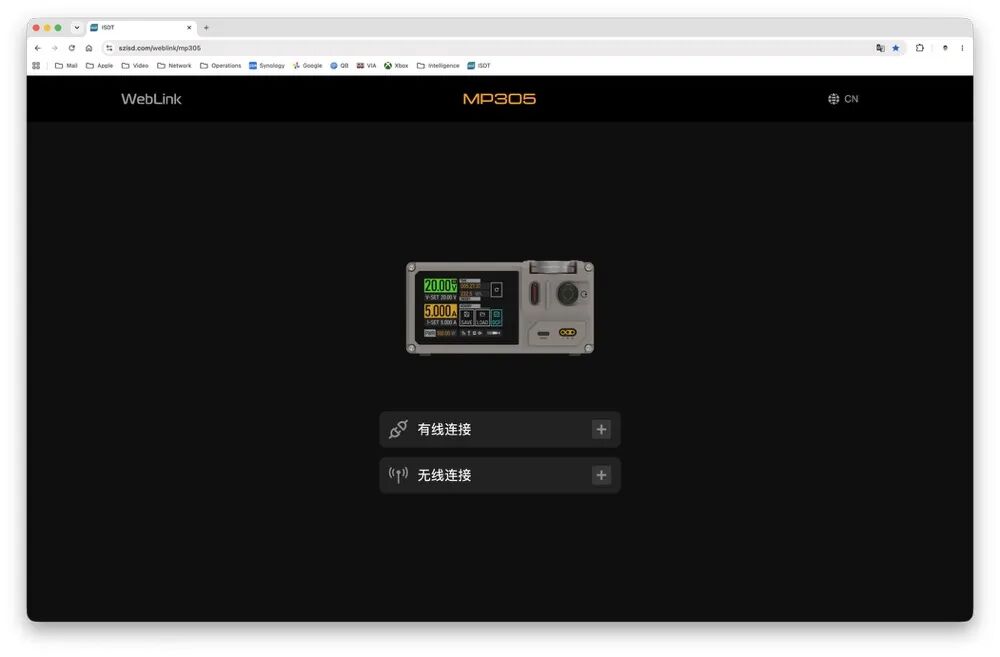
The PowerPi MP305B co-branded programmable smart DC regulated power supply WebLink remote control system page is displayed. No client installation is needed—just access szisdt.com/weblink/mp305 directly in a browser to control the device. Both wired and wireless connections are available. The CN button in the top right corner switches the interface between Chinese and English.
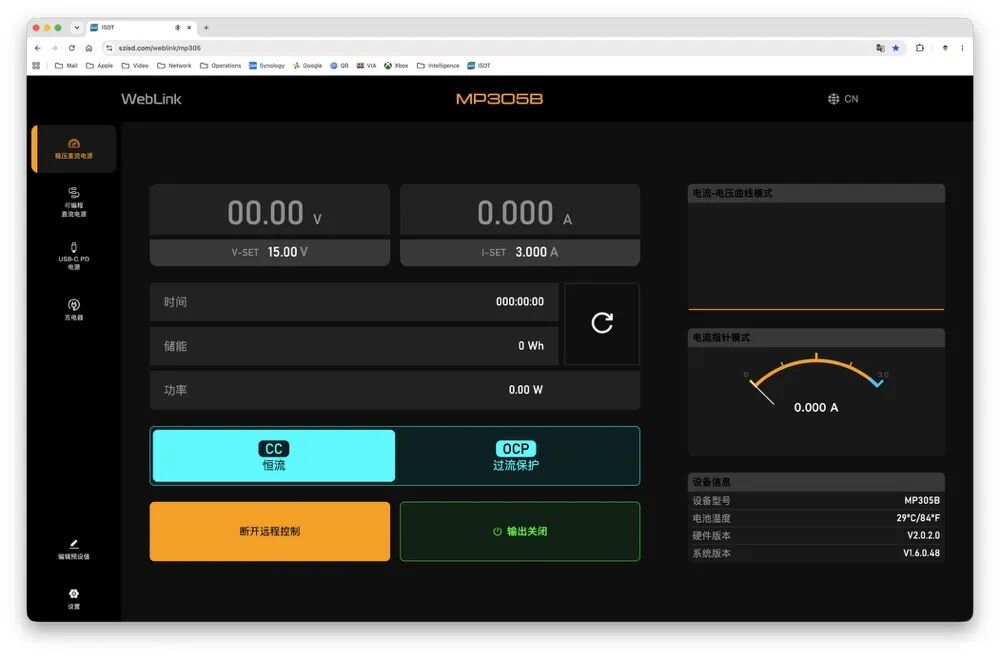
You can set output voltage and current limits, and monitor voltage, current, power, and accumulated energy in real time. The interface differentiates between CC (constant current) and OCP (overcurrent protection) modes and includes buttons to disconnect remote control or turn off output. The right section shows V-I curves and a pointer ammeter while also displaying device temperature and firmware version.
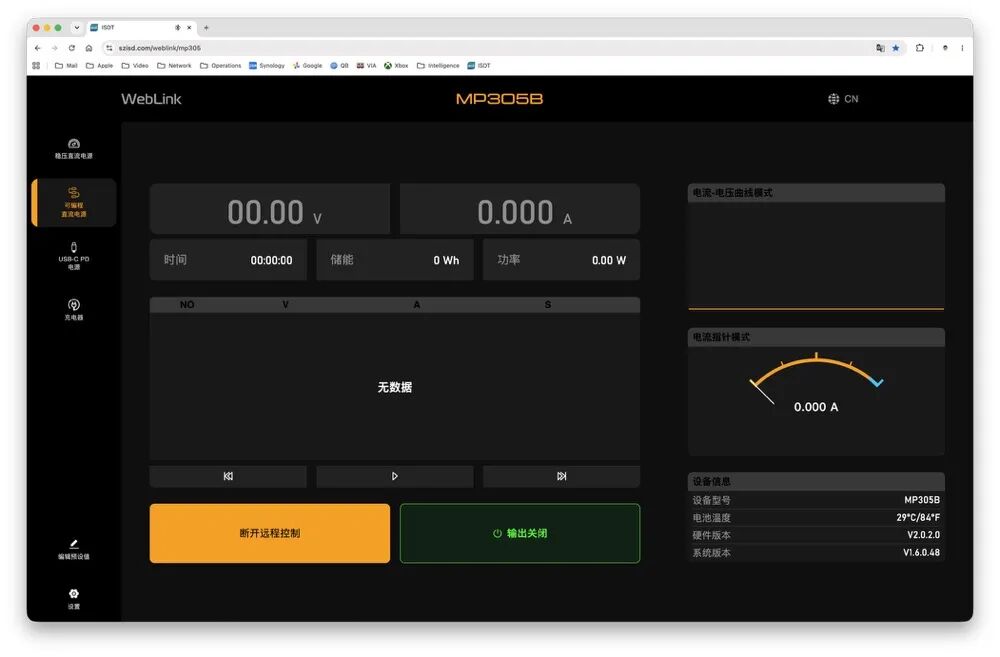
The programmable DC power automation testing interface features real-time voltage and current readings at the top, with a table in the middle to edit step voltage, current, and duration test scripts. At the bottom, there are buttons for timed start/stop and save controls, as well as to disconnect remote access and power output. On the right, waveform drawing and simulated ammeter display synchronized device operation information, mainly used for product aging and charge-discharge cycle durability tests.
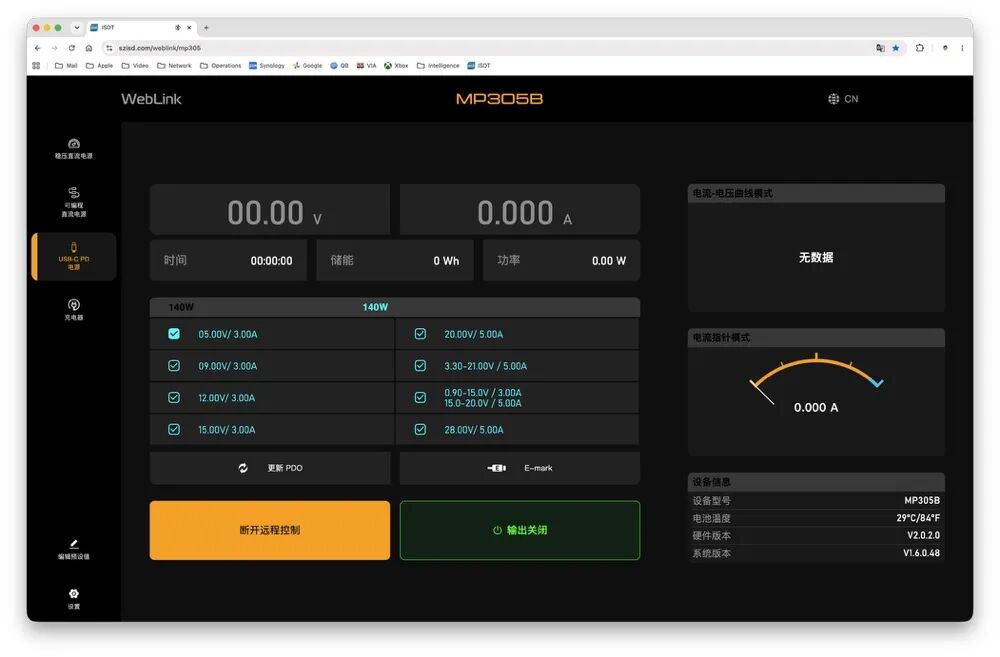
Related read: PowerPi MP305B X140C-C, a new desktop testing combo, 140W USB-C PD parameter configuration interface shows PD3.1 fixed voltage levels and multiple PPS wide voltage ranges. You can enable or disable each level and update PDO or simulate E-Marker cables. The page allows applying remote control, toggling fast charge output, and shows real-time power curves and current readings on the right, synchronized with device temperature and firmware version. Coupled with a built-in lithium battery, it can perform full fast charge tests outdoors.
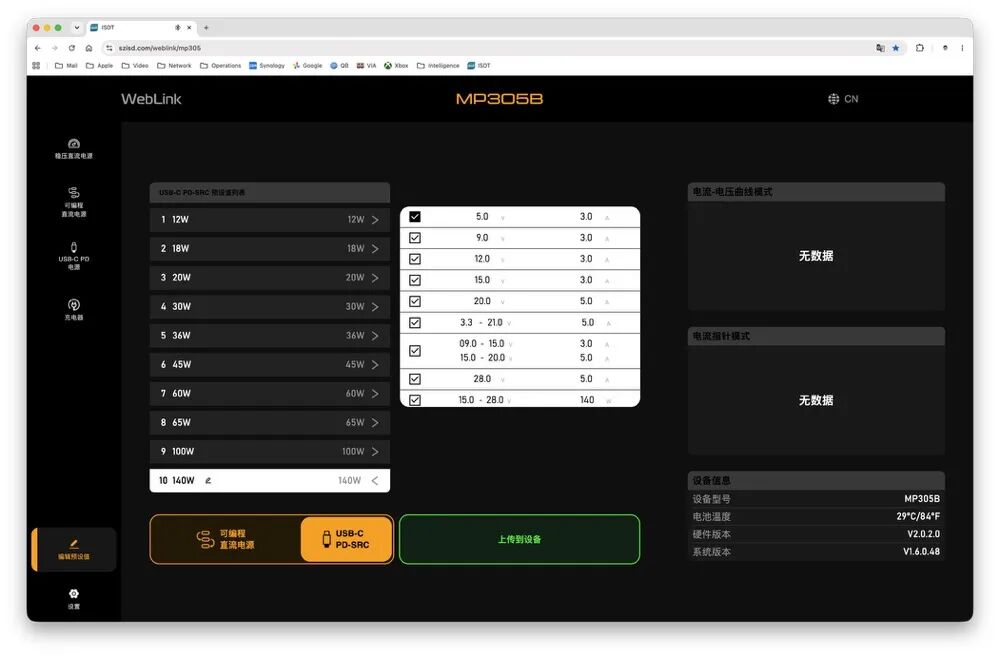
The parameter preset editing page allows storing 10 PD preset profiles on the left and customizing a single PDO voltage/current set on the right popup. At the bottom, you can switch between editing linear power timing scripts or USB-C PD fast-charging schemes, and after editing, upload the parameters to the device with one click.
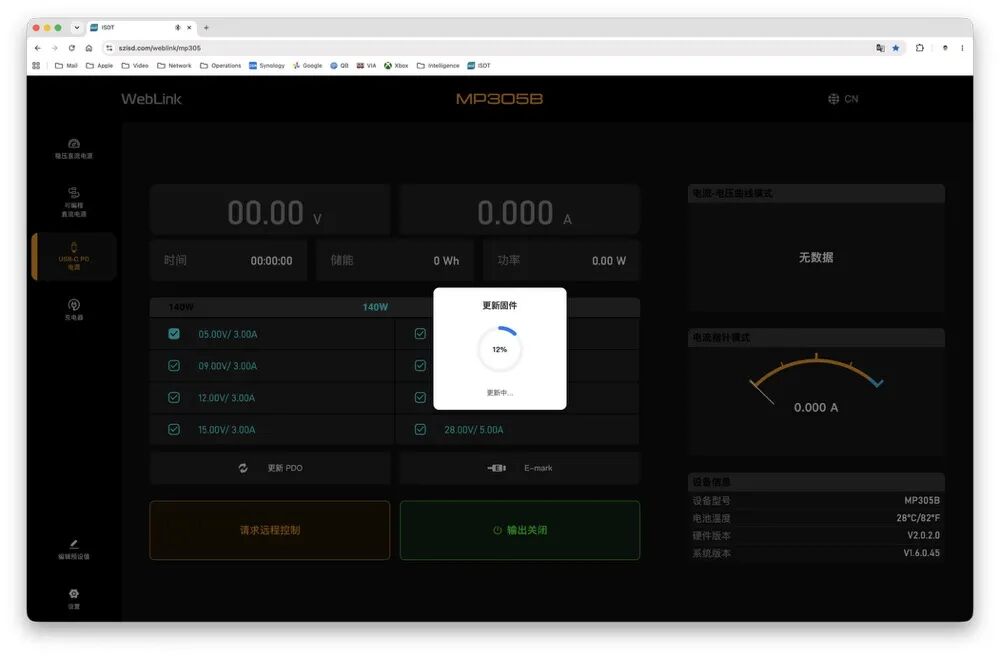
Clicking "Update PDO" triggers a popup and firmware upgrade, showing current progress and waiting for the system firmware update.
The PowerPi MP305B remote control system supports both wired and Bluetooth modes. You can remotely adjust two power outputs, customize PD fast-charging levels, write automated aging scripts, support online OTA firmware updates, and collect voltage and current curves in real time. It’s suitable for both fixed lab setups and portable outdoor testing, covering all scenarios for hardware R&D, digital device repair, and fast-charge performance testing in one stop.